
Категории
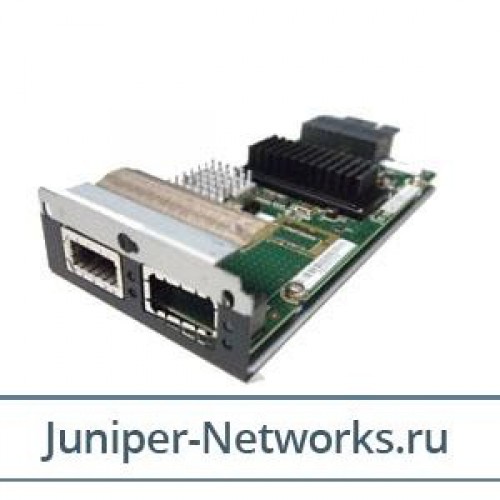
EX-UM-2X4SFP Uplink Module Juniper - EX Серия
| Compatibility Information | |
| Designed For | Juniper EX 3200 24P 24T 48P 48T ¦ Juniper EX 4200 24F 24P 24T 48P 48T |
| Expansion / Connectivity | |
| Compatible Slots | 1 x expansion slot |
| General | |
| Designed For | EX 3200 24P 24T 48P 48T- 4200 24F 24P 24T 48P 48T |
| Device Type | Expansion module |
| Form Factor | Plug-in module |
| Networking | |
| Connectivity Technology | Wired |
Juniper Networks EX4200 and EX3200 2-Port 10G SFP+ / 4-port 1G SFP Uplink Module SFP+ uplink modules can be used for either SFP+ or SFP transceivers
Juniper Networks EX4200 and EX3200 2-Port 10G SFP+ / 4-port 1G SFP Uplink Module SFP+ uplink modules can be used for either SFP+ or SFP transceivers. You configure the operating mode on the module to match the type of transceiver you want to use - for SFP+ transceivers, you configure the 10-gigabit operating mode, and for SFP transceivers, you configure the 1-gigabit operating mode.By default, the SFP+ uplink module operates in the 10-gigabit mode and supports only SFP+ transceivers. If you have not changed the module from the default setting and you want to use SFP+ transceivers, you do not need to configure the operating mode.The SFP+ uplink module has an LED on the faceplate that indicates the operating mode. If the uplink module is operating in the 10-gigabit mode, the LED is lit. If the uplink module is operating in the 1-gigabit mode, the LED is unlit.Разработано «Джусто Веб» © 2014
Ресурс создан при поддержке ООО «Джусто Групп» для ознакомления пользователей с продукцией Juniper Networks. Логотипы, названия других компаний и продуктов, упомянутые на данном ресурсе, являются зарегистрированными товарными знаками соответствующих владельцев.